Goals:
Refined Objectives:
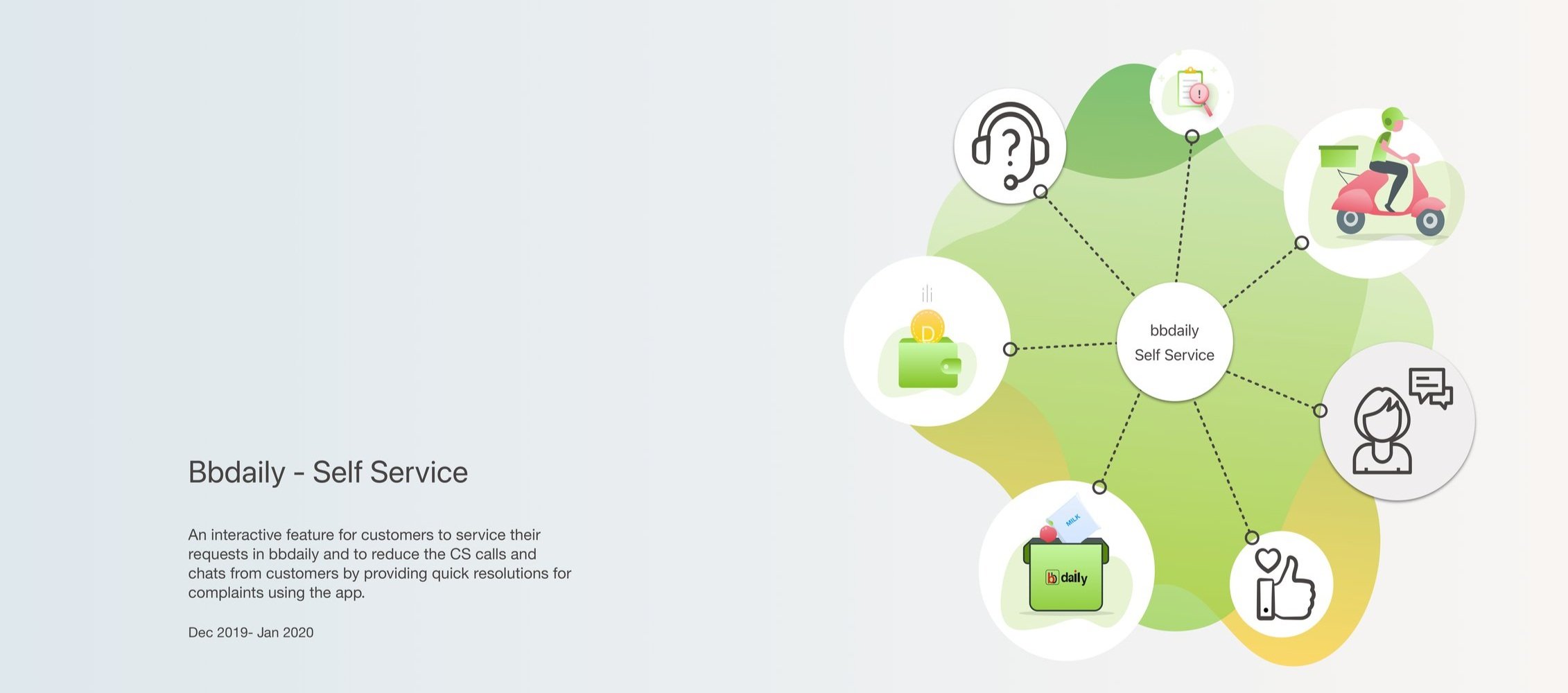
Enable interactive customer service features within the bbdaily platform.
Decrease customer service calls and chats by enabling self-service options for customers.
Facilitate query and complaint submissions via the app for improved customer support.
Requirements Overview
Using bbdaily self-service, customers can perform the following actions
Complaint
Query
Request
Solution
User Research
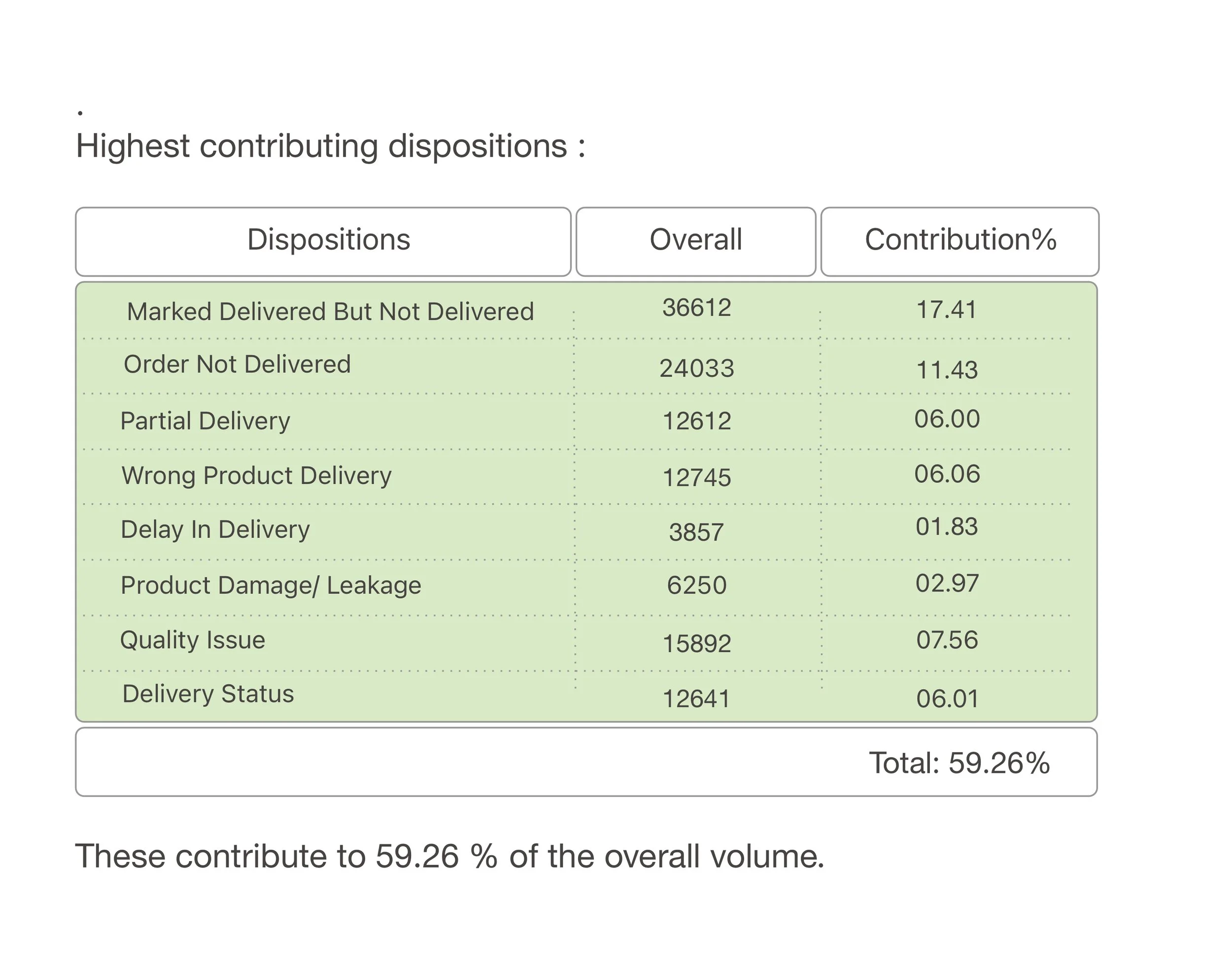
Out of the 48 dispositions managed by our Customer Service (CS) team, a mere 13 of them account for a whopping 80% of our total volume. It's like finding the golden needle in the customer service haystack!
Enhanced Endpoints:
Direct users to relevant pages/sections within the app interface for seamless navigation.
Provide clear redirection to informative or static pages for specific inquiries or actions.
Automatically generate Kapture tickets for customer support to address and close requests or schedule callbacks.
Develop a dedicated app section to monitor the resolution progress of all Kapture tickets created via self-service channels.
Stake Holders
bb Daily active users
Customer Service Team (CS)
Business Unit (BU)
~ Dark Store
~ Operation Representatives
~ Customer Executives (CE), Delivery Executives
Identifying Opportunity Areas:
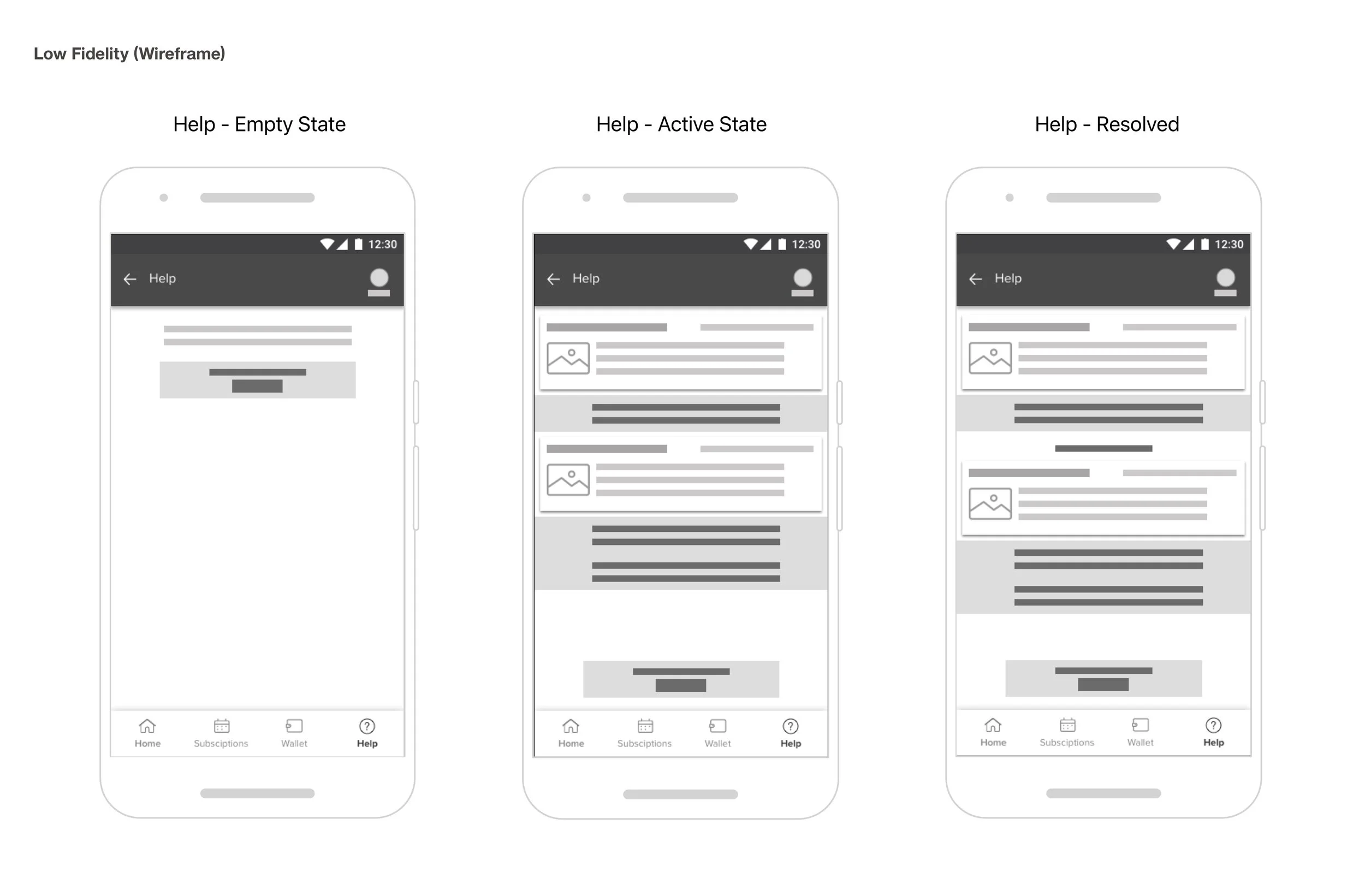
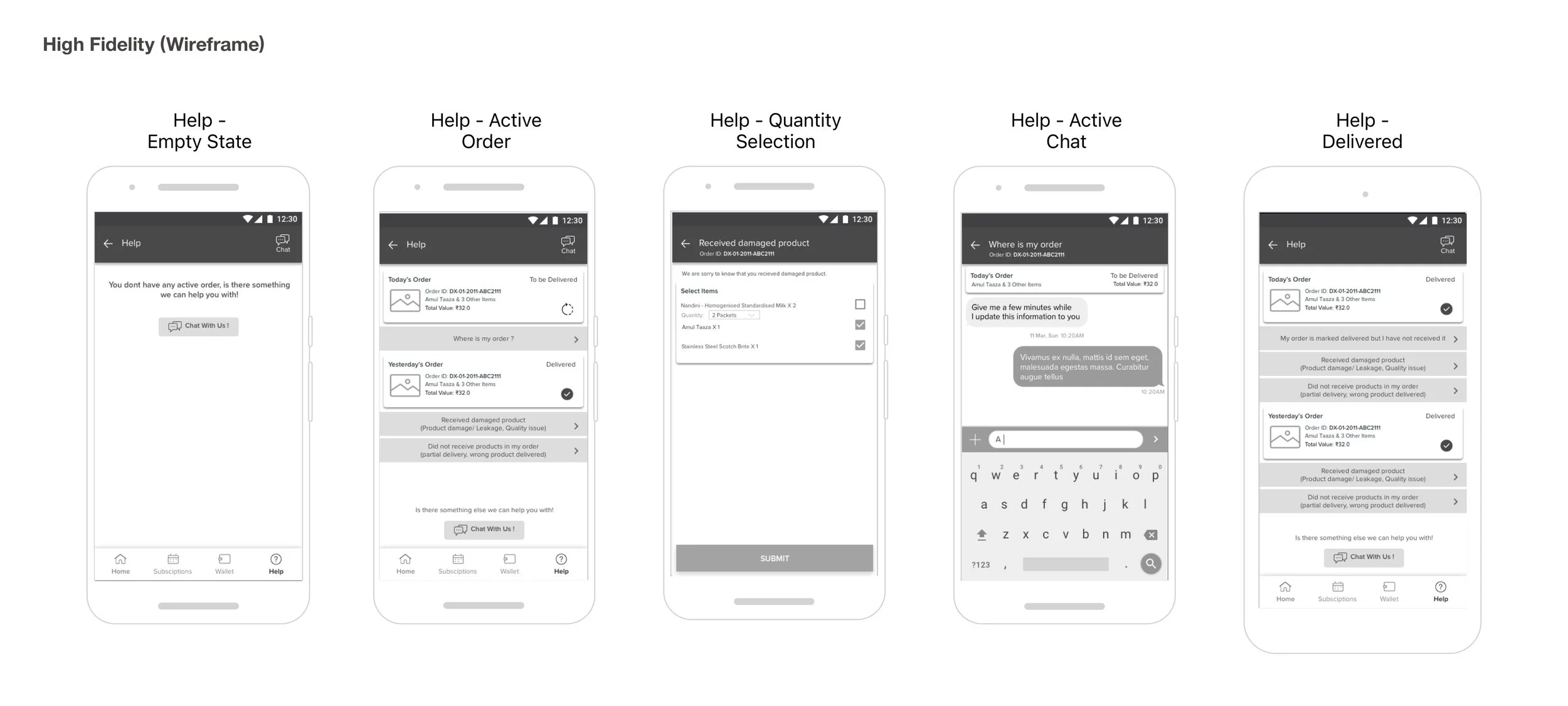
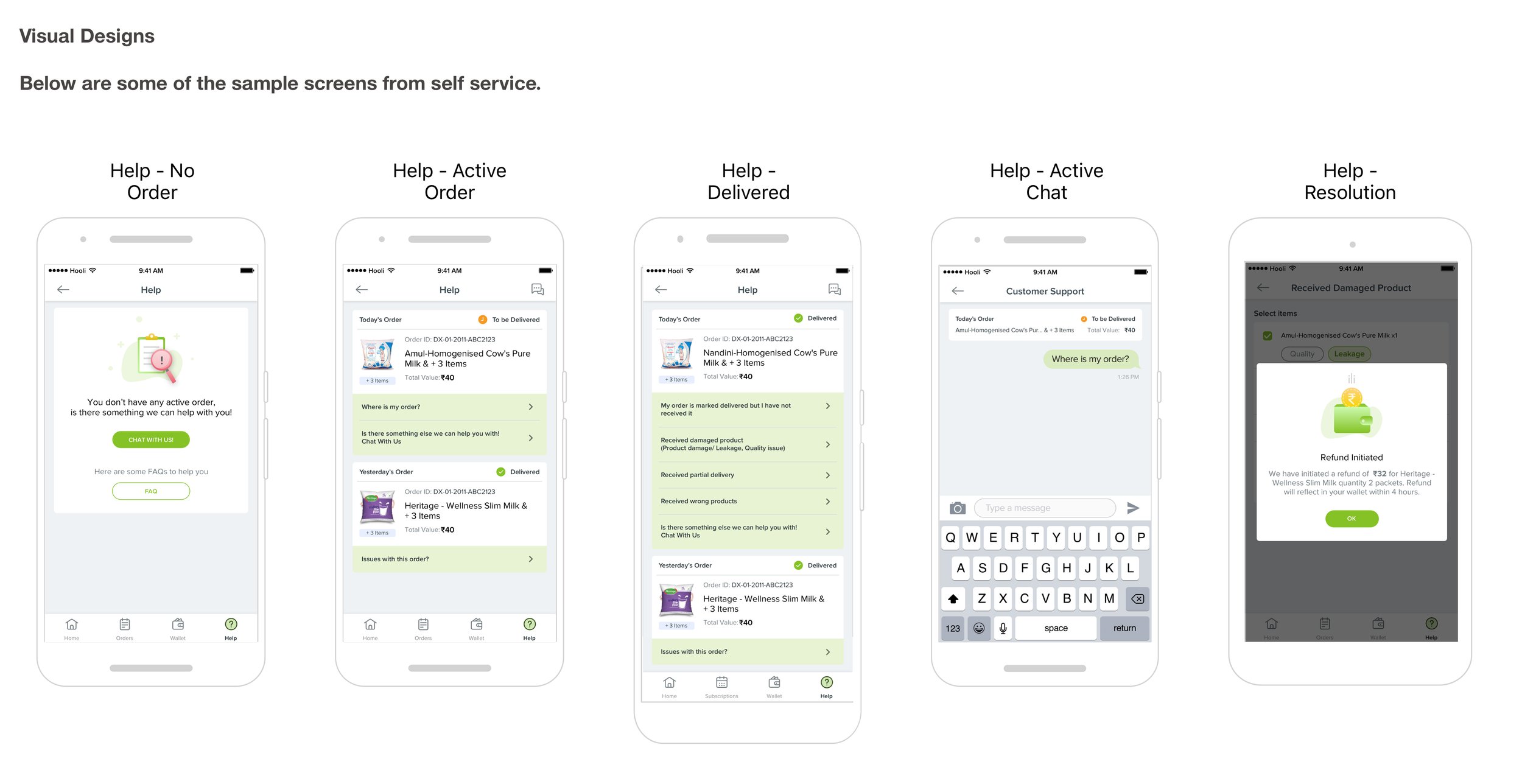
Renaming Customer Chat to "Help" for clarity and accessibility.
Prioritizing customer self-service by listing critical problems in the Help section before connecting to a CS agent.
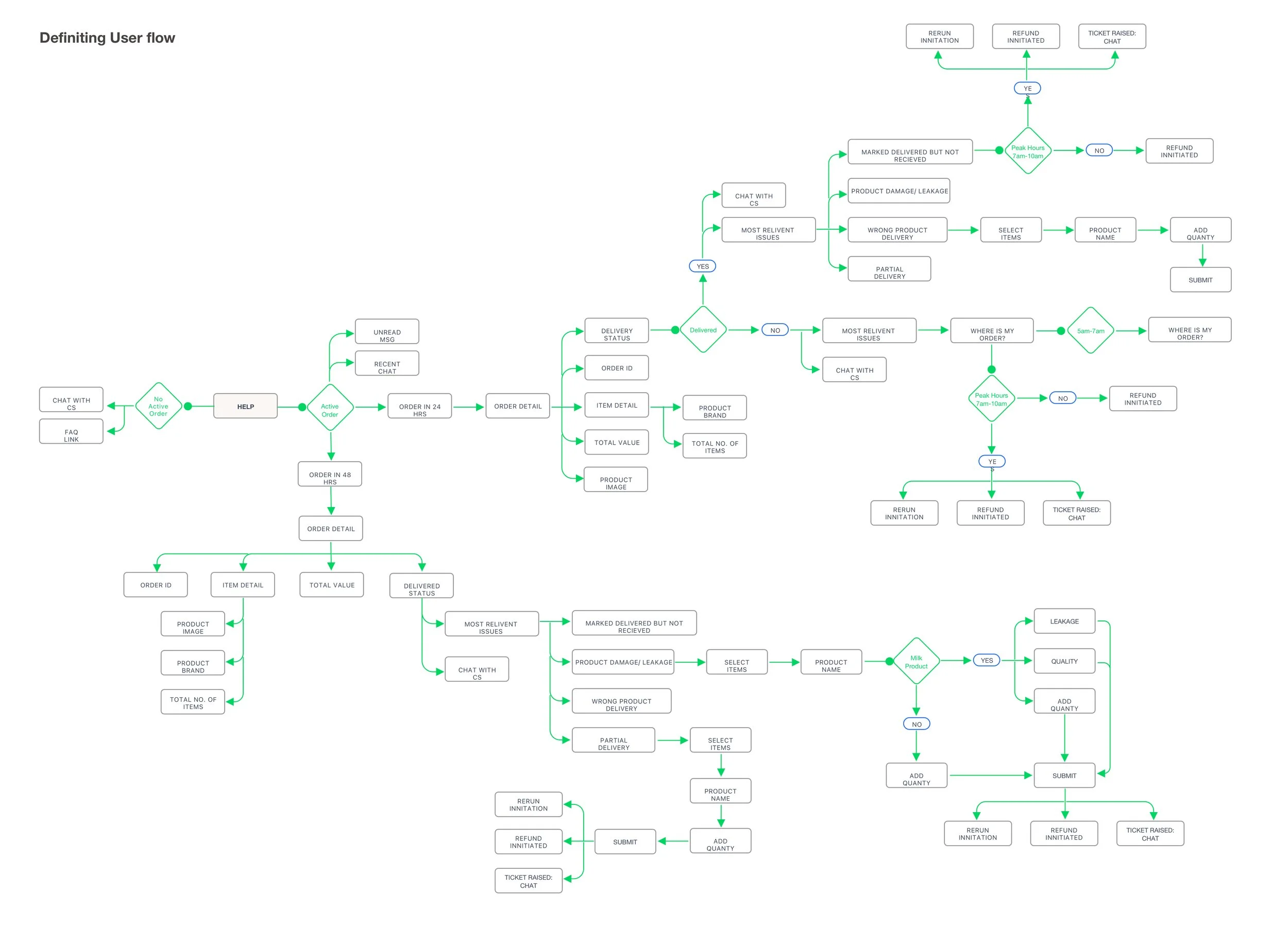
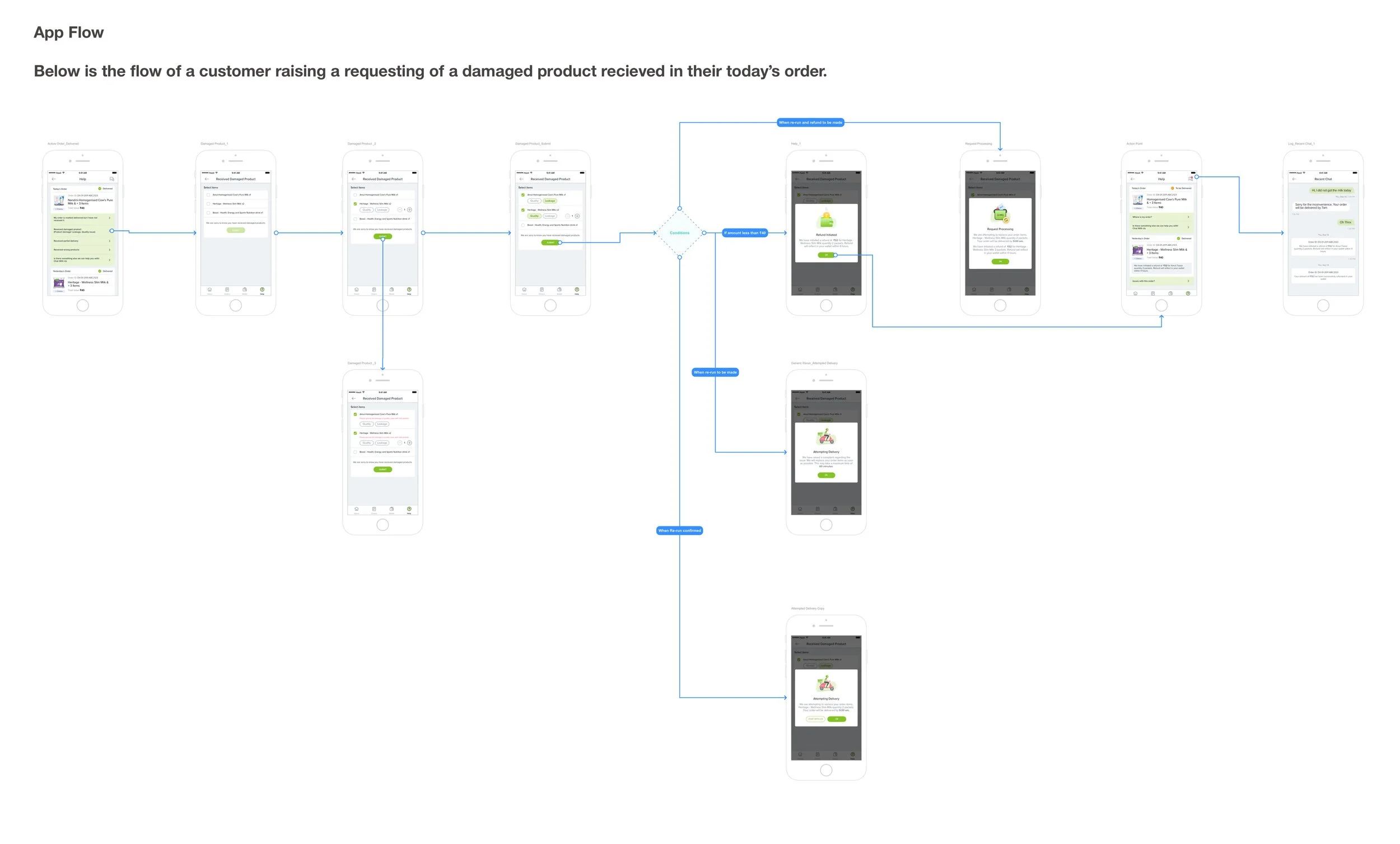
Allowing customers to select their issue, triggering one of three actions: routing to DMS for rerun, auto-refunding for low-value items, or connecting to a CS chat agent for assistance.
Scenario:
Delivery timing: 5am to 7am every day
DMS Ticket Creation: During peak hours (7 to 10 am), for issues like Order not delivered, Wrong item delivered, or Order marked delivered but not received, a DMS ticket is created. The hub incharge updates the ETA for rerun, communicated to the customer via in-app chat notification using Kapture to bbdaily system. If the rerun fails, the hub incharge opts for a refund, also notified to the customer via chat.
Auto Refund: Auto refunds occur during non-peak hours when rerun is infeasible. If the order/item value falls below the threshold value, an auto refund is triggered.
Limiting Auto Refunds:
Customers are limited to availing auto refunds no more than twice a week to ensure fairness. If this limit is exceeded, the system triggers a connection to a CS chat agent instead, preserving agent capacity for more complex issues.
Connecting to CS Chat:
In scenarios where a CS chat is necessary, the agent is seamlessly connected to the customer via the chat section. This ensures prompt assistance and efficient resolution of inquiries or concerns, enhancing the overall customer experience.
Order Status for Self-Service:
Customers can easily track the status of their orders through the self-service portal, where they are notified if their order is processed or to be processed within 24 hours, ensuring transparency and peace of mind throughout the delivery process.